§ 3 — C#: From Scratch
If Statements
Now it’s time to talk more about variables, and we will also introduce a concept called the “if” statements in the programming language. You’re going to use ‘if’ statements throughout your entire life as long as you are writing code. They are very important.
Let’s backtrack a bit to the last chapter and go over variables again.
It’s very important to understand that when you’re using variables, do not create variables if you’re going to use their values only once.
For instance, I have a string variable called ‘message = hello world’.
string message = "Hello, World";
using System.Text;
using System.Threading.Tasks;

namespace Demo.App
{
    class Program
    {
        static void Main(string[] args)
        {
            string message = "Hello, World!";

            Console.WriteLine(message);
            Console.ReadKey();
        }
    }
}
If I’m using that message only once, it doesn’t make sense to define a variable.
It would be better to simply take that value and throw it into the message, getting rid of the variable. That makes it easier and cleaner.
using System.Text;
using System.Threading.Tasks;

namespace Demo.App
{
    class Program
    {
        static void Main(string[] args)
        {
            Console.WriteLine("Hello, World!");
            Console.ReadKey();
        }
    }
}
We delete the string message and just put the message right into our code:
Console.WriteLine("Hello, World!")But if you’re going to use the value of that message multiple times, then that’s different. You can go and say,
if (message == ("Hello,World"), Console.WriteLine(message);
else
Console.WriteLine("Something else!");
string message = "Hello, World!";
if (message == "Hello,World")
{
Console.WriteLine(message);
}
else
{
Console.WriteLine("Something else!");
}
Console.ReadKey();
}
}If your
(message == ("Hello,World"), then the console will print
"Hello,World".
Else, it will write
"Something else!"What I am saying is that I am checking the value of the message in
if (message == "Hello,World")
Program

atic void Main(string[] args)

string message = "Hello, World!";

if (message == "Hello,World")
{
    Console.WriteLine(message);
}
else
{
    Console.WriteLine("Something else!");
}

Console.ReadKey();
and I am writing it out in
Console.WriteLine(message);If the message is "Hello,World", then it will display "Hello,World"
If not, then it will write "Something else!"
In this case, I set the value to
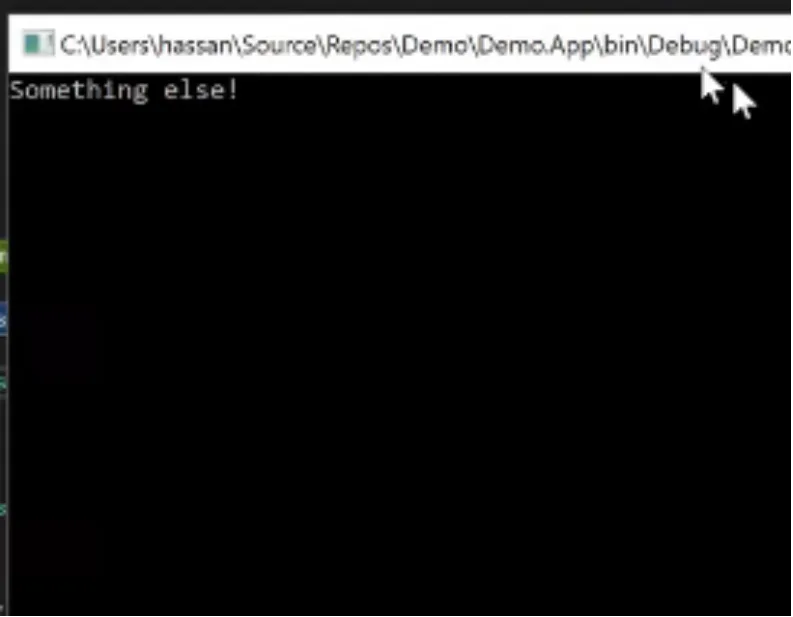
"Hello, World!"Since the input message is "Hello,World", it displays "Something else!"
What’s happening here? Why is it "Something else!"? Because there is an extra space and an exclamation mark in the message "Hello, World!". The message needs to say exactly "Hello,World".
Programming is very precise down to the space, make sure to watch that your spaces and punctuation are all exactly what you intended them to be.
So I used an ‘if’ statement here. What exactly is an ‘if’ statement?
It’s a way for you to control the flow of your program.
A simple example:
If person enters number 1, then output number 1.
If person enters number anything else, then output “Wrong answer!”
With ‘if’ statements, you’re teaching your program how to react towards different types of input.
Another example for you - let's say I'm getting in a number input from the user. We will ask our user to give us a number through Console.ReadLine();(ie: Console.ReadLine(); outputs the user input)
ReadLine is basically a function that when called it will wait for the user to type in their input and then we can use that input in our program by assigning a variable to it and reuse it wherever we want.
using System.Text;
using System.Threading.Tasks;

namespace Demo.App
{
    class Program
    {
        static void Main(string[] args)
        {
            Console.WriteLine("Write a number: ");
            string input = Console.ReadLine();

            if (message == "Hello, World!")
In the next few paragraphs I’m going to show you how we are going to put that in action.
Now let’s suppose you want to know if the number that is inputted is greater than or less than zero.
You want to convert a string value into a value that your program can access as a number. This is why we have discussed integers.
using System.Text;
using System.Threading.Tasks;

namespace Demo.App
{
    class Program
    {
        static void Main(string[] args)
        {
            Console.WriteLine("Write a number: ");
            string input = Console.ReadLine();

            int num = int.Parse()

            if (messag
            {
                Consol
            }
            else
            {
                Console.WriteLine("Something else!");
            }

            Console.ReadKey();
        }
    }
}
static void Main(string[] args)
{
Console.WriteLine("Write a number: ");
string input = Console.ReadLine();
int num = int.Parse(input);
if (message == "Hello, World!")
{
Console.WriteLine(message);
}
else
{
Console.WriteLine("Something else!");
}
Console.ReadKey();
}
}
}The number entered in int.Parse() will be something that you parse, meaning you want to convert that string into an integer so you can run comparison arithmetic operations off of it.
We talked earlier on how strings and integers are very fundamentally different data types, we can for instance run arithmetic operations on integers but not strings, we can create strings of characters but not integers, each and every data type has its use based on what it can and cannot do.
Now, since the user input comes in a string format, we will need to convert that string value into an integer so we can run a comparison arithmetic operation on it.
So if I pass an input into int.Parse(), that input becomes a number - an integer.
And if this number is greater than zero, then,
Console.WriteLine("Number is bigger than zero!");
else
Console.WriteLine("Number is not bigger than zero!");
using System.Text;
using System.Threading.Tasks;
namespace Demo.App
{
class Program
{
static void Main(string[] args)
{
Console.WriteLine("Write a number: ");
string input = Console.ReadLine();
int num = int.Parse(input);
if (num > 0)
{
Console.WriteLine("Number is bigger than zero!");
}
else
{
Console.WriteLine("Number is not bigger than zero!");
}
Console.ReadKey();
}Let’s give it a try and run our program(Hit that Start button at the top!). If i put 5, it reads,
Number is bigger than zero!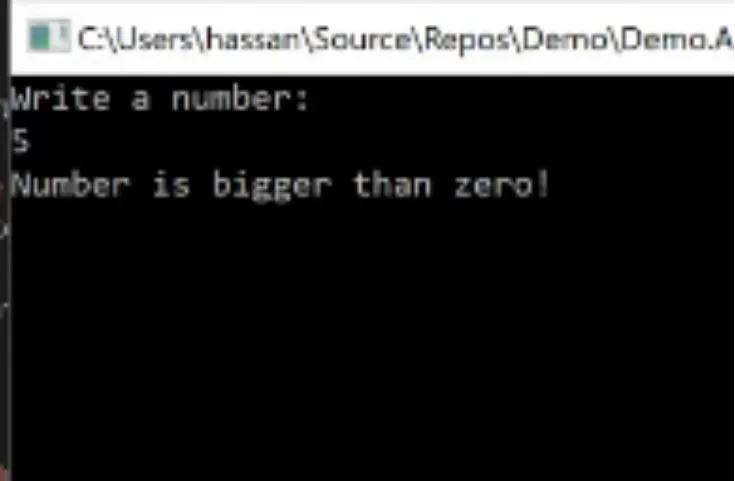
If i put -1,
Number is not bigger than zero!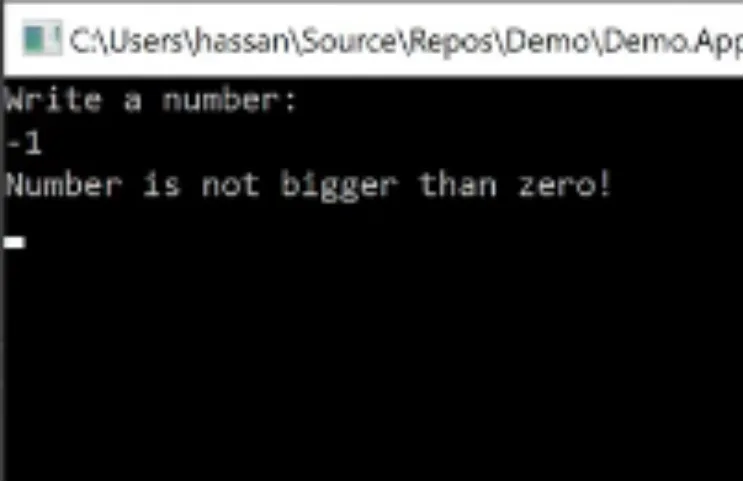
This is how you interact with your program.
You have set commands using ‘if’ statements and your program is responding appropriately to your inputs.
On your own, try putting in the cases where the number is equal to zero and where the number is smaller than zero. Print a message that says “The number you input is equal to zero” and a message that says “The number you input is smaller than zero”.
How do you put these conditions in here? Think about the problem.