§ 4 — C#: From Scratch
Switch Cases
Let’s continue our ‘if’ statement discussion from last chapter, and move into switch cases. For now, understand you can always do more than just ‘if,else’. You can do ‘if’, ‘else if’, and ‘else’, again for as long as you want.
So this is where we are at right now:
using System;
using System.Collections.Generic;
using System.Linq;
using System.Text;
using System.Threading.Tasks;

namespace Demo.App
{
    class Program
    {
        static void Main(string[] args)
        {
            Console.WriteLine("Write a number: ");
            string input = Console.ReadLine();

            int num = int.Parse(input);

            if (num > 0)
            {
                Console.WriteLine("Number is bigger than zero!");
            }
            else
            {
                Console.WriteLine("Number is not bigger than zero!");
            }

            Console.ReadKey();
        }
    }
}
Continuing our if, else statement…if we want to check for numbers that are less than zero, then instead of
"Number is not bigger than zero!"we can do an else if(num < 0) statement that will print out:
"Number is lesser than zero!" if (num > 0)
{
Console.WriteLine("Number is bigger than zero!");
}
else if(num < 0)
{
Console.WriteLine("Number is lesser than zero!");
}
else {
Console.WriteLine("Number is equal to zero!")
}
Console.ReadKey();
}
}
}Then your final else statement can be
("Number is equal to zero!")”.
In this case you get to see all the different if,else statements.
If (num > 0,
else if(num < 0,
else
What this code is saying:
If the number is greater than zero, print "Number is bigger than zero!", else if the number is less than zero print "Number is lesser than zero!", else print "Number is equal to zero!"
If, else if, else. You get to go through all of these and based upon your what you need from your program that you’re using to model a real life problem.
        static void Main(string[] args)
        {
            Console.WriteLine("Write a number: ");
            string input = Console.ReadLine();

            int num = int.Parse(input);

            if (num  == 1)
            {
                Console.WriteLine("Number is bigger than zero!");
            }
            else if(num == 2)
            {
                Console.WriteLine("Number is lesser than zero!");
            }
            else {
                Console.WriteLine("Number is equal to zero!");
            }
Now, here’s another case for you.
Let’s check and see if the number is 1 or 2 or 3, and that it is equal to 1 or 2 or 3.
One way to do that is using ‘if,else’ statements. If it’s 1, print 1, else if it’s 2, print 2, etc.
The picture above would get pretty messy using nothing but ‘if, else’ statements for each individual number.
There’s a better way to do this. If you’re looking for the same value that’s exactly equivalent to another value is to use something in C# called “switch statements”.
using System;
using System.Collections.Generic;
using System.Linq;
using System.Text;
using System.Threading.Tasks;

namespace Demo.App
{
    class Program
    {
        static void Main(string[] args)
        {
            Console.WriteLine("Write a number: ");
            string input = Console.ReadLine();

            int num = int.Parse(input);

            Console.ReadKey();
        }
    }
}
Switch statements are a lot easier to use when you want to do a condition like this.
Go ahead and delete your ‘if,else’ statements.
Add in switch (num).
        static void Main(string[] args)
        {
            Console.WriteLine("Write a number: ");
            string input = Console.ReadLine();

            int num = int.Parse(input);

            switch (num)
            {

            }

            Console.ReadKey();
If we’re checking just for the value, you can have your program check a switch statement. It will go “switch, based on this certain number…
…represented as switch (num)…
        int num = int.Parse(input);

        switch (num)
        {
            case 1:
                Console.WriteLine("The number is one")
        }

        Console.ReadKey();
    }
…find all the cases that this number may fall in”.
and we can say “in case, if this number is equal to 1…
case 1: switch (num)
{
case 1:
Console.WriteLine("The number is one");
case 2:
Console.WriteLine("The number is two");
}
Console.ReadKey();
}…then print out:
("The number is one")We then have our second case:
case 2:
Console.WriteLine("The number is two");switch (num)
{
case 1:
Console.WriteLine("The number is one");
break;
case 2:
Console.WriteLine("The number is two");
break;When you have cases it is important to “break” them so that you can exit that loop.
Inserting…
break;…will tell the program there are no more cases for you to check.
The third case we can have here is the case where neither of those two cases is a possibility.
We can put in a default case that would run if neither of the first two cases are satisfied. Let’s put in a default case where the number is neither one or two, and be sure to put in the break.
default:
Console.WriteLine("The number is neither one or two");
break;
switch (num)
{
case 1:
Console.WriteLine("The number is one");
break;
case 2:
Console.WriteLine("The number is two");
break;
default:
Console.WriteLine("The number is neither one or two");
break;
}
Console.ReadKey();
}What’s happening here is instead of putting in a huge series of ‘if’ statements - if, if else, if else, if else…. you’re just checking for the number value. This lets you use the much simpler switch statements.
It is another tool that is very similar to ‘if’ statements. It is a tool that allows you to do stuff based on the value of the parameter you’re passing in.
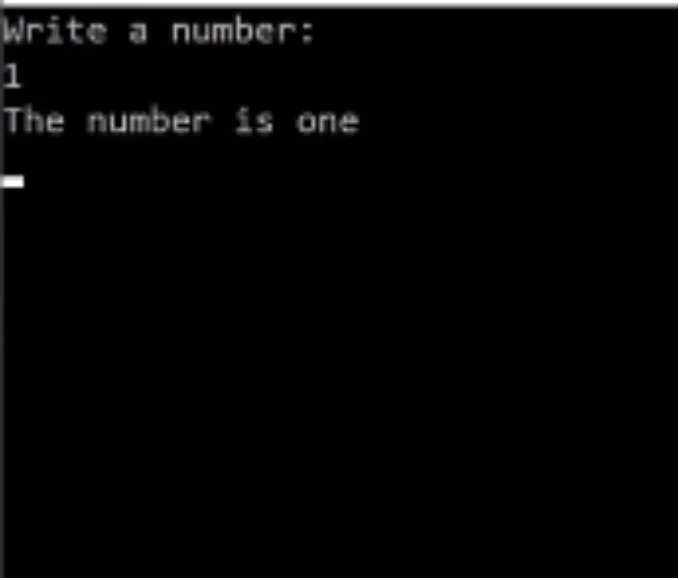
Now if we run this and input the number 1, it says the number is one.
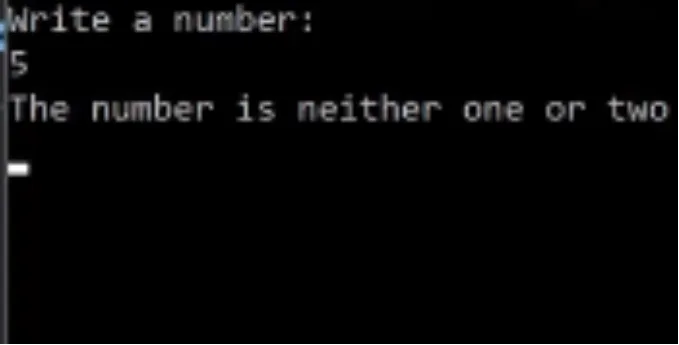
If I enter a 5, it says “The number is neither one or two”.
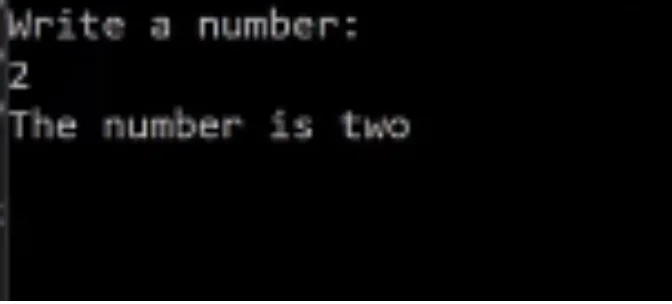
If I enter a 2, it says “The number is two”.
And that’s the end of switch statements for now. Please check out this link if you want to dig deeper:
https://bit.ly/2TzLtzW